On this page
- Is your database problem latency or load?
- When do read replicas actually pay off?
- When does a cache beat a read replica?
- In what order should you add caching and read replicas?
- How bad is replication lag in practice?
- What does running a cache and replicas together look like?
- How do you decide between a read replica and a cache?
- So what’s the sensible default?
- Questions people ask
Picture the meeting. A dashboard turns red, p95 latency has doubled over a month, and the primary database sits at 80 percent CPU during peak. Someone says “add a read replica”. Someone else says “just cache it”. Both sound reasonable, both get nods, and the team ends up doing whichever one somebody has done before.
Both answers are reflexes, and reflexes skip the diagnosis. A read replica and a cache look interchangeable from a distance, because both take reads off the primary. Underneath, they solve different failures, fail in different ways, and cost very different amounts of money.
The narrower claim: a replica adds capacity, a cache removes repeated work, and which one you need falls out of two questions about your traffic. What follows is a decision matrix built on those questions. It stops applying the moment your problem is writes, because neither tool helps a write-bound primary.
Is your database problem latency or load?
Name the failure first. A replica helps when the primary is out of capacity to serve reads, a cache helps when the same work is being done over and over, and neither helps when individual queries are simply slow. The reflex is to reach for infrastructure; the cheaper first move is to read the query stats.
Three symptoms, three different answers:
| What you see | What it is | What helps |
|---|---|---|
| CPU pegged and connections queuing, but individual queries look fine | Load | More read capacity |
| The box is half idle, but a page takes two seconds | A slow query | An index or a rewrite, not more hardware |
| The same result computed thousands of times a minute | Cache-shaped traffic hiding inside what looks like load | A cache |
Where do you look? pg_stat_statements answers most of this in one query. It has to be listed in shared_preload_libraries and created with CREATE EXTENSION, and these column names are the Postgres 13 and later ones:
SELECT query,
       calls,
       ROUND(total_exec_time::numeric / 1000, 1) AS total_seconds,
       ROUND(mean_exec_time::numeric, 2) AS mean_ms
FROM pg_stat_statements
ORDER BY total_exec_time DESC
LIMIT 15;
Read the output in three patterns. High calls with low mean_ms is volume, and probably cache-shaped volume. Low calls with high mean_ms is a slow query wearing a capacity costume. High everything is where replicas start to earn their keep.
Which index fixes which plan is its own topic, covered in indexing strategies: when each index type actually pays off.
When do read replicas actually pay off?
When the read set is broad, mostly tolerant of slightly stale data, and heavy enough that the primary is genuinely out of headroom. Think dashboards, reporting, search results pages and product listings: lots of different queries, none needing this-millisecond freshness, all of them together eating CPU the primary needs for writes.
Workload isolation is the cleanest replica win. When BI dashboards share a primary with checkout traffic, a Monday-morning reporting burst competes with order processing for the same CPU and I/O. Moving reporting to a replica makes nothing faster in isolation. It makes the two workloads stop fighting, which is the actual problem, and it’s a use case AWS lists for its read replicas.
The mechanics explain the strengths. A Postgres streaming replica replays the primary’s WAL, so it carries the full dataset and can serve read-only queries against any of it. That breadth is the point: you don’t have to predict which queries will move, you just route them. Streaming replication is asynchronous by default, so commits on the primary don’t wait for the replica. Synchronous replication exists, but then each write transaction’s commit waits for the standby to confirm, which is a different trade entirely.
The price is equally plain. You’re running a full second instance, and RDS bills a read replica as a standard DB instance at its class’s rate, so a same-size replica roughly doubles the instance line on your bill. Spend grows with every replica you add. Aurora changes the shape of that trade rather than removing it: its replicas share the cluster’s storage volume, so each one needs little extra replication work and AWS puts typical lag well under 100 milliseconds, but each reader is still billed compute you have to justify. The wider cost picture is in database choices that quietly kill your AWS bill.
Monitoring isn’t optional, because lag is where replicas bite:
-- On the replica: age of the last replayed transaction.
-- On a quiet primary this keeps growing even when the replica is caught up.
SELECT now() - pg_last_xact_replay_timestamp() AS replica_lag;

-- On the primary: a per-replica view
SELECT client_addr,
       state,
       replay_lag,
       pg_wal_lsn_diff(pg_current_wal_lsn(), replay_lsn) AS lag_bytes
FROM pg_stat_replication;When does a cache beat a read replica?
When a small set of keys absorbs most of your read traffic. Traffic is often skewed: a handful of products, tenants or sessions can account for a disproportionate share of reads. A replica re-executes the query for every one of those hits. A cache runs the query once and serves the computed result from memory until it changes.
That difference shows up in both latency and money. AWS advertises microsecond latency for ElastiCache, its managed Valkey, Memcached and Redis OSS service, because it serves data from RAM, while even a fast indexed query still has to be executed against tables and indexes behind the same network round trip. The hardware asymmetry matters too: a cache node only needs memory for the hot results, not the whole dataset, so it can be far smaller than a database instance. You can also cache above the row level, and often should. A rendered fragment or an assembled API response saves more work per hit than a cached row ever will.
So why doesn’t everyone just cache everything? Invalidation, mostly. The standard cache-aside pattern is easy to write and easy to get subtly wrong:
def get_product(product_id):
    cached = redis.get(f"product:{product_id}")
    if cached is not None:
        return deserialize(cached)
    row = db.query("SELECT ... FROM products WHERE id = %s", product_id)
    redis.set(f"product:{product_id}", serialize(row), ex=300)
    return row
Every cached key is now a freshness contract you have to honour on every write path that touches that data. TTLs cap the damage but guarantee some staleness. Explicit invalidation is precise but grows into a dependency graph nobody fully remembers. And a popular key expiring under load can stampede the database with the very query you were protecting it from.
Caches lose in three situations: when the read set is broad and rarely repeats, because there’s nothing to hit; when correctness demands this-second freshness you can’t invalidate reliably; and when the invalidation graph grows complex enough that cache bugs cost more engineering time than the database load ever did.
In what order should you add caching and read replicas?
Fix the queries first, then cache the obvious hot keys, then add a replica when breadth or isolation outgrows the cache. It’s easy to run it in reverse, and the reason is friction, not analysis: a replica is a console action, while a cache is a code change with an invalidation design attached.
The RDS replica needs no change to your queries, only read routing to its endpoint; the cache needs code on every read and write path it covers, and brings a new failure mode to reason about. So the replica ships first, the bill grows, and if the hot keys were the real problem all along, the cache gets built anyway. Now both are running, one of them mostly idle, and nobody wants to be the person who turns either off. Sound familiar?
What flips the order? Workloads that need isolation rather than acceleration. Compliance reporting, analytics teams with ad hoc query access, and batch exports want a replica first regardless of hit rates, because the goal is blast-radius containment. An analyst’s accidental sequential scan should never share a CPU with checkout.
Cache-first weakens too when your app is heavy on read-your-own-writes: feeds, collaborative editing, anything where a user immediately reads what they just wrote. Per-user invalidation is exactly the hard kind. Sometimes the honest answer is that neither layer helps, and the schema or access pattern needs work first.
How bad is replication lag in practice?
The PostgreSQL docs say streaming replication lag is typically under one second, assuming the standby can keep up with the load. The typical case isn’t the problem. The problem is that lag has no upper bound. Bulk imports and backfills can generate WAL faster than the standby replays it, and replica queries that conflict with replay can hold replay back.
A replica that’s milliseconds behind most of the day can fall far behind during a backfill, and with the default max_standby_streaming_delay of 30 seconds, a single conflicting query on the replica can hold replay back that long. If a product flow only breaks when lag crosses a threshold, it will break during the incident, the migration or the traffic spike: precisely the moments you least want a new failure mode joining the party. Backfills have their own playbook in zero-downtime database migrations: patterns and pitfalls.
So design for lag instead of hoping it stays small:
- Route read-your-own-writes to the primary, unconditionally.
- Pin a session to the primary for a few seconds after it performs a write.
- Export replay lag as a first-class metric and alert on it like any other SLO.
-- Alert-friendly lag in seconds per replica, run on the primary.
-- replay_lag goes NULL shortly after an idle replica fully catches up.
SELECT application_name,
       EXTRACT(EPOCH FROM replay_lag) AS lag_seconds
FROM pg_stat_replication;
The pg_stat_replication docs describe replay_lag as an approximation, for an asynchronous standby, of how long recent transactions take to become visible there.
What does running a cache and replicas together look like?
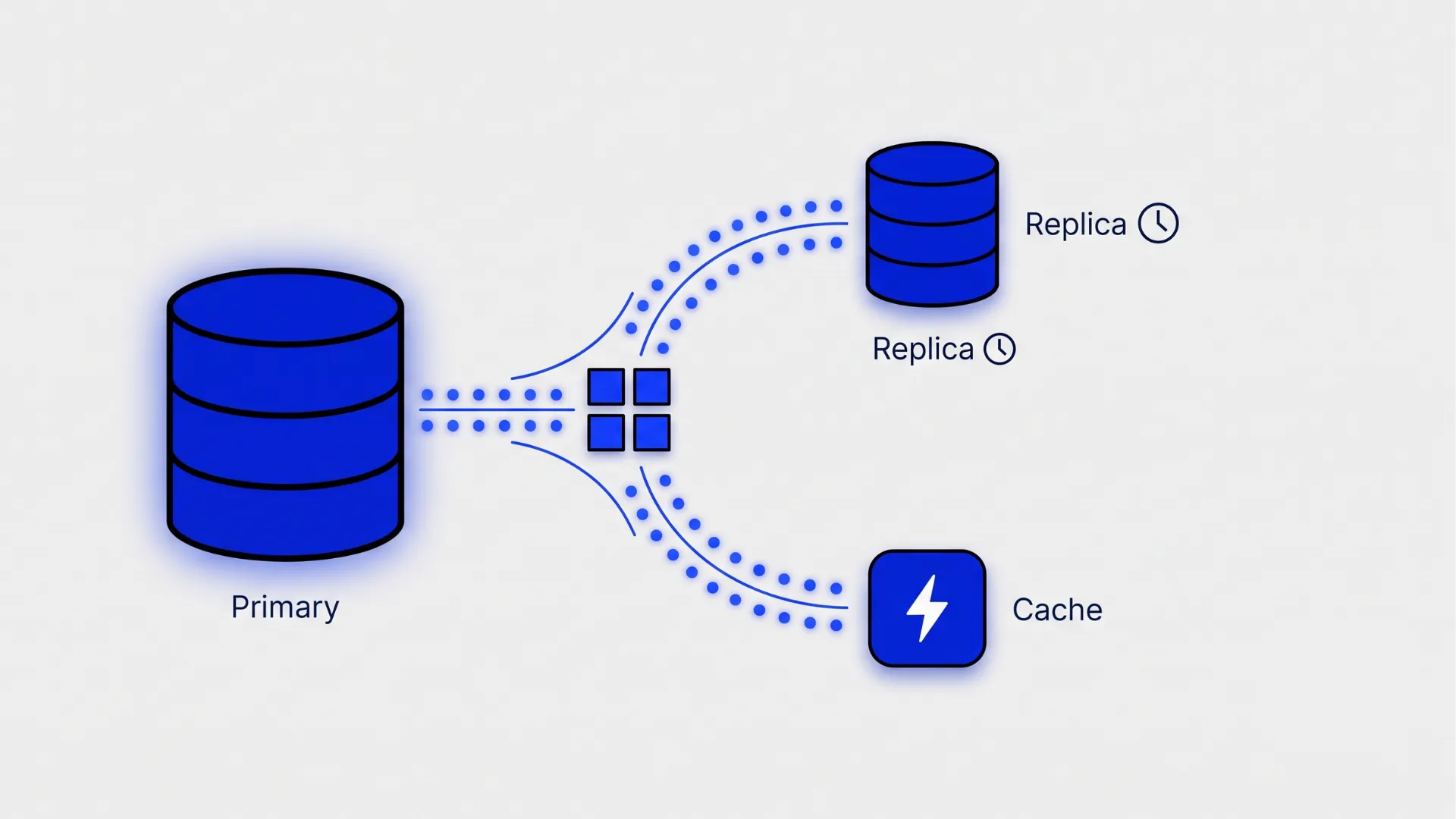
Layers with distinct jobs, not two copies of the same fix. The cache sits closest to the application and absorbs the hot keys. Replicas sit behind a routing layer and absorb the broad, staleness-tolerant remainder. The primary keeps every write and every read-your-own-writes path. Three tiers, three responsibilities, no overlap.
| Tier | What it takes | Routed there when | Health signal |
|---|---|---|---|
| Cache | Hot keys and repeated identical reads | The same read repeats | Hit rate |
| Replicas | The broad, staleness-tolerant remainder | The read path tolerates a few seconds | Replay lag |
| Primary | Every write and every read-your-own-writes path | The read path allows zero staleness | CPU |
The routing decision deserves real design attention. Who decides which query goes where? Not individual engineers under deadline pressure, one call site at a time. The rule belongs in a single data-access layer or proxy, where each read path declares a freshness budget and the budget picks the tier.
Two details separate a layered setup that holds from one that falls over all at once. First, cache misses should fall through to a replica, not the primary, so a cold cache after a deploy or a Redis restart doesn’t stampede the instance that processes writes. The cache then inherits replica lag, so keep that path to keys that tolerate it. Second, protect the hot keys themselves: jitter TTLs so popular entries don’t expire in unison, and coalesce requests so a thousand concurrent misses for one key trigger one database query rather than a thousand.
Layering stops being worth it below a certain scale. If a single well-indexed primary on a moderate instance still has clear headroom, the operational surface of three tiers costs more than it saves. Don’t build the diagram before the traffic exists to justify it.
How do you decide between a read replica and a cache?
Ask four questions, in this order, before anyone opens the AWS console: is the primary actually out of capacity, do a few keys dominate, how much staleness can each read path tolerate, and which option is cheaper for your team to operate. Then read the answers together, because the combination decides.
- Is the primary actually out of capacity, or are queries just slow? Read
pg_stat_statementsbefore provisioning anything. If mean execution times are the story, fix plans and indexes first. Neither a replica nor a cache repairs a bad query; they just pay for it differently. - Do a few keys dominate, or is the read set broad? Skewed traffic points at a cache, because repeated work is exactly what a cache deletes. Broad, unpredictable reads, such as reporting, search and ad hoc analytics, point at a replica, because breadth is exactly what a full copy of the data provides.
- How much staleness can each read path tolerate? Paths that must read their own writes stay on the primary, full stop. Every other path gets an explicit freshness budget, and that budget tells you whether a TTL cache or typical replica lag fits inside it.
- Which is cheaper for you to operate, not just to buy? A replica is more spend and little code beyond read routing. A cache is less spend and a real invalidation design. Teams absorb those costs differently, and pretending otherwise is how the wrong tool gets picked for defensible-sounding reasons.
Put together, the answers form the matrix:
| What the answers say | Reach for |
|---|---|
| Queries are slow; the primary has headroom | Better plans and indexes, no new infrastructure |
| A few hot keys, staleness-tolerant | A cache |
| A broad read set, staleness-tolerant | A read replica |
| Reporting, analytics or exports that need isolation | A read replica, regardless of hit rates |
| The path must read its own writes | The primary |
| The primary is write-bound | Neither: batching, fewer indexes or hardware |
| Growth answers yes to both hot keys and breadth | Both, layered, routed by freshness budget |
Growing systems eventually answer yes to both, and that’s fine. Both is a milestone you earn, not a starting point you assume. The same decision-first approach applies to the service underneath: see when to use each AWS database service.
So what’s the sensible default?
Fix the queries, then cache the hot keys with honest TTLs, then add a replica when breadth or isolation demands it, and run both only when scale forces the issue. That order keeps spend and complexity proportional to the problem you can actually demonstrate.
Get it backwards and you pay twice. A replica added on reflex adds a full instance to the bill without removing the hot-key work. A cache added without an invalidation plan turns into a slow drip of stale-data bug reports. Add both blind and you own two consistency stories, each with its own 2am pager behaviour.
Read replicas versus caching was never really a versus. It’s a matrix, and the matrix has a row for your traffic. Find the row before you spend the money. The same decision-first framing runs through most teams don’t need a vector database and the rest of the Databases section.
Key takeaways
- Replicas add read capacity; caches remove repeated work. They solve different failures, and naming yours correctly is most of the decision.
- A cache wins when a few hot keys dominate traffic. A replica wins when the read set is broad and mostly tolerates slight staleness.
- The cheap order is usually: fix the queries, cache the hot keys, then add a replica for breadth or isolation. It's easy to run it backwards, because a replica is a console action and a cache is a code change.
- Postgres documents replication lag as typically under a second, but nothing bounds it. Route read-your-own-writes traffic to the primary from day one.
- Adding both on reflex adds spend on two fronts and hands you two consistency problems instead of one.

Questions people ask
Should I add a read replica or a cache first?
Usually a cache, if traffic is skewed. When a few hot keys dominate reads, a cache node sized for those results can absorb them for less than a full replica costs. Add the replica when the read set is broad, when reporting needs isolation from transactional traffic, or when the cache hit rate stops climbing. Fix slow queries before either.
Do read replicas improve write performance?
No. Every write still lands on the primary, and each replica adds a WAL sender process and replication traffic there. Replicas offload reads only. If your primary is write-bound, look at batching, trimming unused indexes or hardware, because indexes add overhead to writes, while replicas leave the write workload exactly where it was.
How much replication lag is normal for a Postgres read replica?
The PostgreSQL docs describe it as typically under one second, provided the standby can keep up with the load. The catch is that lag isn't bounded: bulk loads, backfills and replica queries that conflict with replay can push it to seconds or more. Monitor it continuously, alert on it, and route read-your-own-writes traffic to the primary.
Is Redis always the right choice for a caching layer?
It's a popular choice, and a good one, but not the only option. Memcached is simpler for pure key-value caching, and an in-process cache skips the network hop entirely for small, hot, read-only data. Choose based on invalidation needs, the data structures you need, and whether the cache must be shared across instances.
Can a read replica replace a cache entirely?
Only when reads are broad and evenly spread. A replica re-executes every query, so when the same expensive result is fetched thousands of times, it spreads that repeated work across machines rather than removing it. For hot-key traffic, a cache serves the stored result without touching the database at all, which a replica can never do.

Cloud, DevOps and Database Engineer. I write crafted.data so the next person can skip the painful part.
Get the next article by email
One email when a new deep-dive is out: databases, cloud and AI, with the code. Unsubscribe in one click.
Email signups open soon. Until then, new articles are announced on Instagram.