
Database Choices That Quietly Kill Your AWS Bill
Share This Article
The most expensive database decision I’ve reviewed this year wasn’t a decision at all. It was a default: an r6g.2xlarge picked during a launch crunch, still running three years later at nine percent CPU. Nobody chose that bill. Everybody paid it, month after month, without a single alarm going off.
When an AWS bill gets uncomfortable, the reflex is to hunt for one big mistake. A forgotten GPU instance, a runaway Lambda loop, something dramatic enough to screenshot into Slack. Database spend almost never works like that. It leaks, through a dozen small choices that each looked reasonable on the day someone made them, and then never got looked at again.
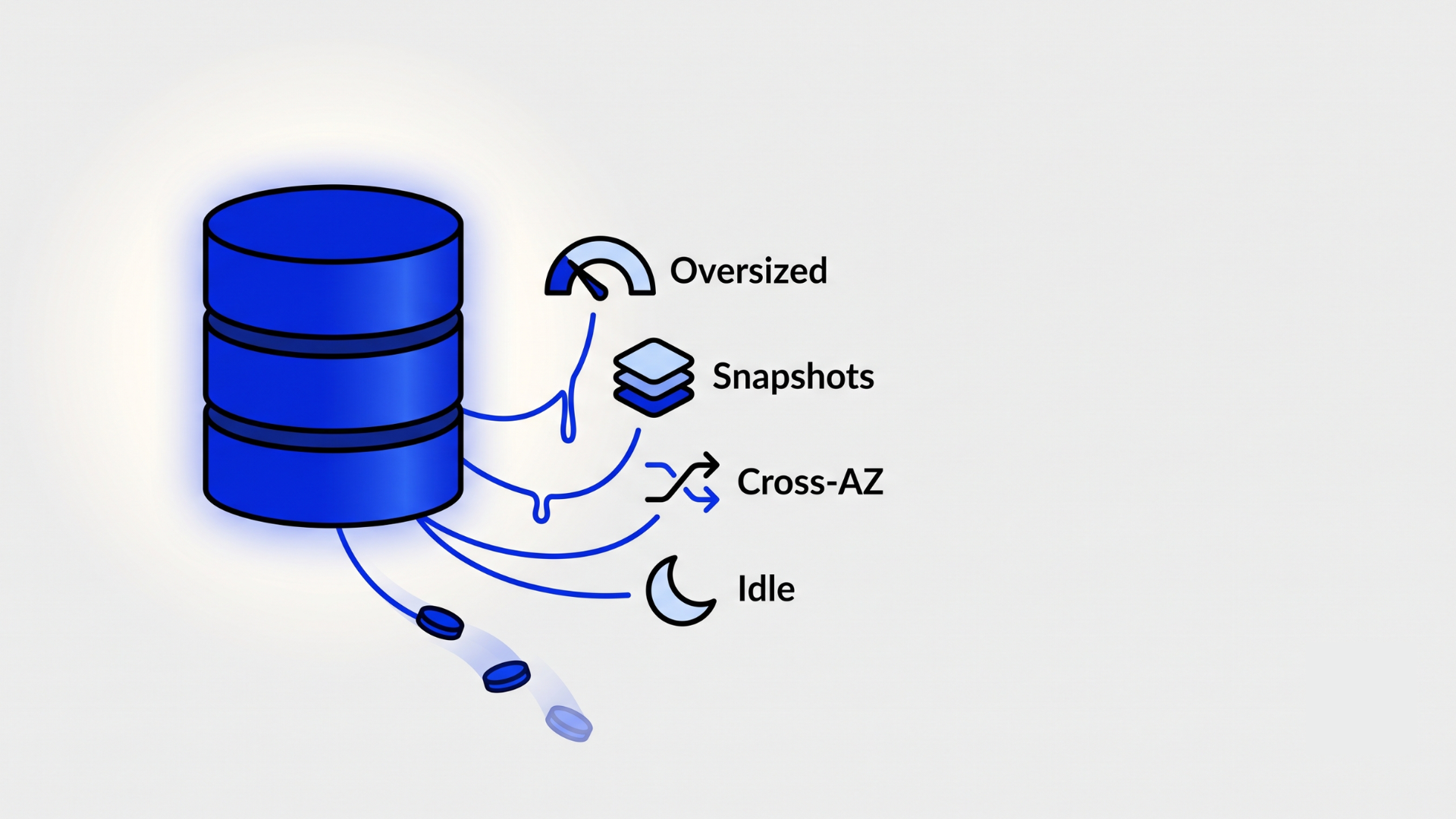
So this isn’t a tour of AWS pricing pages. It’s a list of the specific defaults I keep finding inside real bills: the oversized instance, the wrong I/O model, the capacity mode nobody revisited, the snapshots and traffic nobody meters. For each one, I’ll also name where the saving stops being worth it, because cheap and fragile isn’t the goal.
Key takeaways
- Database overspend on AWS rarely comes from one bad call. It comes from defaults nobody revisited: instance size, I/O model, capacity mode, retention.
- The launch-day instance size is usually still running years later. Right-sizing against 30 days of real utilization is the fastest single saving available.
- Aurora versus RDS is an I/O profile question, not a brand question. The wrong pricing model on the right engine still burns money every month.
- Cross-AZ traffic, snapshot storage, and idle environments bill quietly and almost never appear in a design review.
- A one-hour monthly cost review of your databases catches nearly all of this before it compounds into a budget conversation.
Why is your RDS instance probably too big?
Because it was sized for a guess, and the guess was made on the most optimistic day of the project. Launch-day sizing has a predictable shape: someone estimates traffic, doubles it for safety, then goes one instance class up just in case. The reflex is understandable. Undersizing hurts immediately and publicly, while oversizing hurts slowly and invisibly. So every incentive in the room points up.
[PERSONAL EXPERIENCE] Reviewed accounts where the production instance class outlived two product pivots; the nine-percent-CPU r6g.2xlarge is a real engagement, anonymized.
The problem is that nobody schedules the second look. I’ve reviewed accounts where the production database hadn’t changed instance class since the year it launched, through two major product pivots and one steep traffic decline. When was the last time anyone on your team re-read that instance class and asked whether it still describes the workload?
The check is thirty minutes in CloudWatch. Pull CPUUtilization, FreeableMemory, and ReadIOPS for the last 30 days and look at the 95th percentile, not the average. Averages flatter idle systems. If p95 CPU sits under 25 percent and memory never gets tight, you’re paying for a size class the workload doesn’t occupy. While you’re there, check the storage type too. Older instances still sitting on gp2 volumes can usually move to gp3 for the same performance at a lower rate, and Intel instance classes can often move to Graviton for a real discount with no application changes on managed engines.
Downsizing an RDS instance is a modify operation with a short failover blip, not a migration project. That’s what makes this the highest-return hour in this whole post.
One more sequencing rule: right-size before you reserve. Reserved instances and savings plans are real discounts, but they freeze the shape of the spend. Committing to a year of an oversized class turns a leak into a contract. Measure first, shrink, run a month at the new size, then buy the commitment on the instance you actually need.
Where’s the line? Don’t right-size into an incident. If the workload has genuine spikes (month-end billing runs, seasonal peaks, heavy vacuum windows), size for the spike you can prove, not the average that flatters. And keep honest headroom: a primary running hot at p95 has nothing left for a failover or a bad query plan. If p95 CPU already sits above 50 to 60 percent and the product is growing, leave it alone.
The last post in this series maps every AWS database service to the workload it actually fits, which is the other half of the sizing conversation. When to Use Each AWS Database Service
Is Aurora actually cheaper than RDS?
Sometimes, and when it isn’t, the reason is usually I/O pricing rather than compute. The reflex here is treating Aurora as RDS but better, and picking it by default for anything that matters. Aurora is a genuinely different engine with a genuinely different bill, and the difference lives in how it charges for I/O.
Aurora Standard bills for every million I/O requests your workload makes against its storage layer. For a well-indexed OLTP workload, that line item stays polite. For anything scan-heavy, write-heavy, or analytics-flavored, it grows into a surcharge that can rival the instance cost itself, and it does so without any infrastructure change you can point to. The bill just gets worse as the product gets used more.
[UNIQUE INSIGHT] The recurring pattern: teams choose Aurora for the resilience story, then pay an I/O tax on a workload shape Aurora Standard prices badly. The engine choice and the pricing model choice get conflated into one decision.
Aurora I/O-Optimized flips the model: no per-request I/O charges, in exchange for higher instance and storage rates. AWS’s own published guidance is that I/O-Optimized pays off once I/O charges reach roughly a quarter of your Aurora spend. Plain RDS with gp3 storage sidesteps the whole question, since you provision IOPS explicitly and the number on the bill is the number you chose.
So the real question isn’t Aurora or RDS. It’s this: what does one month of your actual I/O cost under each model? That’s a Cost Explorer filter, not a re-architecture. The Real Cost of an LLM Call vs a SQL Query → post 3, the same cost-per-operation thinking applied to AI calls.
Where’s the line? Aurora earns its price when you’re using what makes it Aurora: fast failover, many low-lag read replicas, storage that grows without downtime, or Global Database for cross-region reads. If you need those, the I/O model is a configuration detail to get right, not a reason to leave. The mistake isn’t choosing Aurora. It’s choosing it by reflex and never opening the I/O line item.
Are you paying for DynamoDB capacity nobody uses?
If a table sits in provisioned mode because a calculator said so two years ago, almost certainly. The reflex with DynamoDB is to run the pricing math once, at design time, when provisioned capacity looks obviously cheaper per request. Then traffic changes shape and nobody re-runs the numbers.
Provisioned capacity bills for what you reserve, not what you use. Autoscaling softens that, but it still has a floor, and the floor bills at 3am on a Sunday exactly like it bills at peak. What does your table actually do on a Sunday night? For spiky or low-volume tables (internal tools, event archives, that feature two customers use), on-demand mode usually costs less in practice even though its per-request rate is higher on paper.
Global secondary indexes make this worse quietly. Every GSI carries its own capacity and storage, and every write to the table fans out to every index that includes it. A table with three generous GSIs is, for billing purposes, four tables. I look at GSIs the way I look at manual snapshots: each one made sense to someone once, and nobody remembers who.
Storage has its own quiet lever here. Tables holding cold data (audit trails, old events, anything read a few times a year) can move to the Standard-Infrequent Access table class, which trades a higher per-request rate for cheaper storage. It’s a per-table setting, and for archive-shaped tables it’s close to free money.
Where’s the line? Steady, sustained, forecastable throughput is exactly what provisioned mode is for, and at high volume it beats on-demand by a wide margin, wider still with reserved capacity on top. The point isn’t always use on-demand. It’s that capacity mode is a decision with a shelf life. Re-run the comparison once a year against real traffic, and let the boring numbers decide.
Where does cross-AZ traffic sneak into your bill?
Between your application and its database, in both directions, one gigabyte at a time. Cross-AZ data transfer is billed per gigabyte each way, and it hides inside a line item most people scroll past because it’s never dramatic on any single day.
The replication traffic inside a Multi-AZ RDS deployment isn’t the problem; AWS doesn’t bill you for that. The problem is everything your application does. A service fleet spread across three availability zones talking to a primary that lives in one of them means roughly two-thirds of your database traffic crosses an AZ boundary. Add a read replica in another AZ, an ORM that fetches whole rows to update one column, and a job that pages a large table nightly, and the gigabytes compound.
Attribution is the hard part, since Cost Explorer shows you regional data transfer without saying who caused it. VPC Flow Logs, aggregated by source and destination, will name the chatty pairs. In my experience the top offender is rarely exotic. It’s usually one internal service doing something wasteful on a loop.
Watch the path, not just the distance. Traffic that reaches a database through a NAT gateway pays the NAT processing rate on top of transfer, and that happens more often than teams expect: a self-managed database in another VPC, a third-party data API, a replication job routed the scenic way. One misplaced route table can double the cost of every gigabyte.
The cheap fixes are locality and restraint: AZ-aware routing so services prefer a reader in their own zone, caching the reads that never change, and trimming SELECT * habits so you stop shipping columns nobody reads. <!– [INTERNAL-LINK: Postgres Does More Than You Think → post 1, on getting more out of the database you already run] –>
Where’s the line? Never collapse production into a single AZ to dodge transfer charges. The saving is real and the trade is terrible; one AZ event will erase years of it. Cross-AZ spend is a signal about chattiness and data volume. Fix those, and keep the resilience.
Why do snapshots and idle environments keep growing?
Because nothing in AWS deletes itself, and database storage only moves in one direction. Automated backups are mostly benign: they’re free up to the size of your provisioned storage and they expire with the retention window. Manual snapshots are the opposite. They bill from the first gigabyte and live until a human deletes them, which in most teams means they live forever. Four years of snapshot-before-the-migration, just in case, adds up to a museum nobody visits and everybody funds.
[PERSONAL EXPERIENCE] The manual-snapshot museum and the 24/7 staging fleet are composites of several client accounts; the pattern repeats almost everywhere.
Idle environments follow the same physics. Dev and staging databases commonly run 24 hours a day to serve a team that works 45 hours a week. Stopping non-production RDS instances outside working hours is unglamorous and effective. A stopped instance still bills for storage, but not for compute, and compute is usually the bigger half.
The fix doesn’t need a platform team either. A pair of EventBridge Scheduler rules, stop at 8pm and start at 8am, covers most non-production fleets. Just remember that RDS restarts a stopped instance by itself after seven days, so the automation has to re-stop it rather than assume it stays down.
Then there’s the one-way valve: RDS storage can grow, automatically if you’ve enabled autoscaling, but it can never shrink. Delete half your rows and the bill doesn’t move, because the space goes back to the engine as reusable pages, not back to AWS. Which is why it’s worth knowing what’s actually occupying the volume:
-- Largest tables, with dead rows that vacuum can reuse but never return
SELECT relname,
       pg_size_pretty(pg_total_relation_size(relid)) AS total_size,
       n_dead_tup
FROM pg_stat_user_tables
ORDER BY pg_total_relation_size(relid) DESC
LIMIT 10;-- Indexes that have never been scanned since the last stats reset
SELECT indexrelname,
pg_size_pretty(pg_relation_size(indexrelid)) AS index_size
FROM pg_stat_user_indexes
WHERE idx_scan = 0
ORDER BY pg_relation_size(indexrelid) DESC;Unused indexes are a double charge. They occupy storage, and they slow every write that has to maintain them. Dropping the dead ones is one of the few changes that makes a database both cheaper and faster on the same day.
Where’s the line? Retention that exists for compliance or audit is legitimate, and the fix there is automation, not deletion. Move real requirements into AWS Backup plans with lifecycle rules so old snapshots age out to cheaper tiers or expire on schedule, instead of depending on someone’s memory. And don’t stop-start an environment whose whole job is realistic performance testing, since cold caches will quietly invalidate the results.
So how do you actually find the leaks?
None of this needs a FinOps team or a tooling purchase. It needs four questions, asked monthly, with the graphs open.
1. What’s the 95th percentile utilization over the last 30 days? For every production database: CPU, memory, IOPS. If p95 is a fraction of what you’re paying for, that’s the finding.
2. What is I/O costing as a share of each engine’s bill? Aurora Standard versus I/O-Optimized, gp2 versus gp3, provisioned IOPS someone set during an incident in 2024. The share, not the absolute number, tells you when a pricing model stopped fitting the workload.
3. What runs between midnight and six in the morning, and why? Idle dev instances, autoscaling floors, replicas serving no one. Night-time spend is the purest measure of waste because there’s no traffic to justify it.
4. What would you keep if snapshots were boxes in your office? Walk the manual snapshot list with that framing. Most of it becomes obviously deletable, and the rest becomes obviously worth automating.
If any of these takes more than an hour to answer, that’s a finding too. It means the account has no tagging, no ownership, and nobody looking, and that’s the exact condition every leak in this post depends on.
Most Teams Don’t Need a Vector Database → post 2, the same discipline applied to choosing new infrastructure
The quiet part of the bill is the design
The practical default is boring: put a one-hour database cost review on the calendar, monthly, owned by an engineer rather than a spreadsheet. Right-size against p95, match the I/O model to the workload, re-run the DynamoDB math yearly, name your cross-AZ chatter, and automate retention. None of it is clever. All of it compounds in your favor instead of against you.
The cautionary version is the team that skips the hour, watches the bill climb for two years, and then launches a panicked cost-reduction migration that consumes a quarter of engineering capacity to escape decisions no one remembers making. I’ve watched that movie more than once. The migration usually costs more than the waste did.
Databases rarely kill an AWS bill with one dramatic choice. They do it with quiet ones, left alone long enough to feel like infrastructure. Find them while they’re still just defaults.
Frequently asked questions
How do I find which database is driving my AWS bill?
Open Cost Explorer, group by service, then filter to RDS, Aurora, DynamoDB, and ElastiCache. Add a second grouping by usage type to separate compute, storage, I/O, and data transfer. Tag instances by team or product first, or the numbers stay anonymous and nobody owns the fix.
Is Aurora more expensive than RDS PostgreSQL?
It can be, and I/O is usually why. Aurora Standard bills per I/O request, so scan-heavy or write-heavy workloads pay a surcharge that RDS with gp3 storage doesn’t have. Aurora I/O-Optimized removes that charge for higher fixed rates. Compare a real month of your own I/O, not the calculator.
Should I use DynamoDB on-demand or provisioned capacity?
Use on-demand for spiky, unpredictable, or low traffic, and provisioned for steady sustained throughput you can forecast. Provisioned with autoscaling still bills at its floor all night, every night. Re-run the comparison once a year, because traffic patterns drift and the mode that was right at launch rarely stays right.
Do RDS snapshots cost money?
Automated backups are free up to the size of your provisioned storage while the instance runs. Manual snapshots bill from the first gigabyte and live until someone deletes them, which in most teams is never. Audit manual snapshots quarterly and move real retention requirements into an AWS Backup plan with lifecycle rules.
Can I shrink RDS storage after deleting data?
No. RDS storage grows but never shrinks, even after you delete rows or drop tables. Reclaiming space means moving to a new, smaller instance through a dump and restore, DMS, or a blue-green deployment. That’s why storage autoscaling deserves a maximum limit, set on the day you enable it.
- April 04, 2026

Naveen Chandra
Hi, I am Naveen Chandra, a Cloud Engineer and Web Developer. I work with companies that take their technology seriously and want a long-term partner, not a short-term contractor. From AWS infrastructure and DevOps automation to full-stack web platforms and React Native apps, I focus on systems that compound in value over years rather than projects that end in weeks.