
AWS Services You’re Paying For and Probably Don’t Need
Share This Article
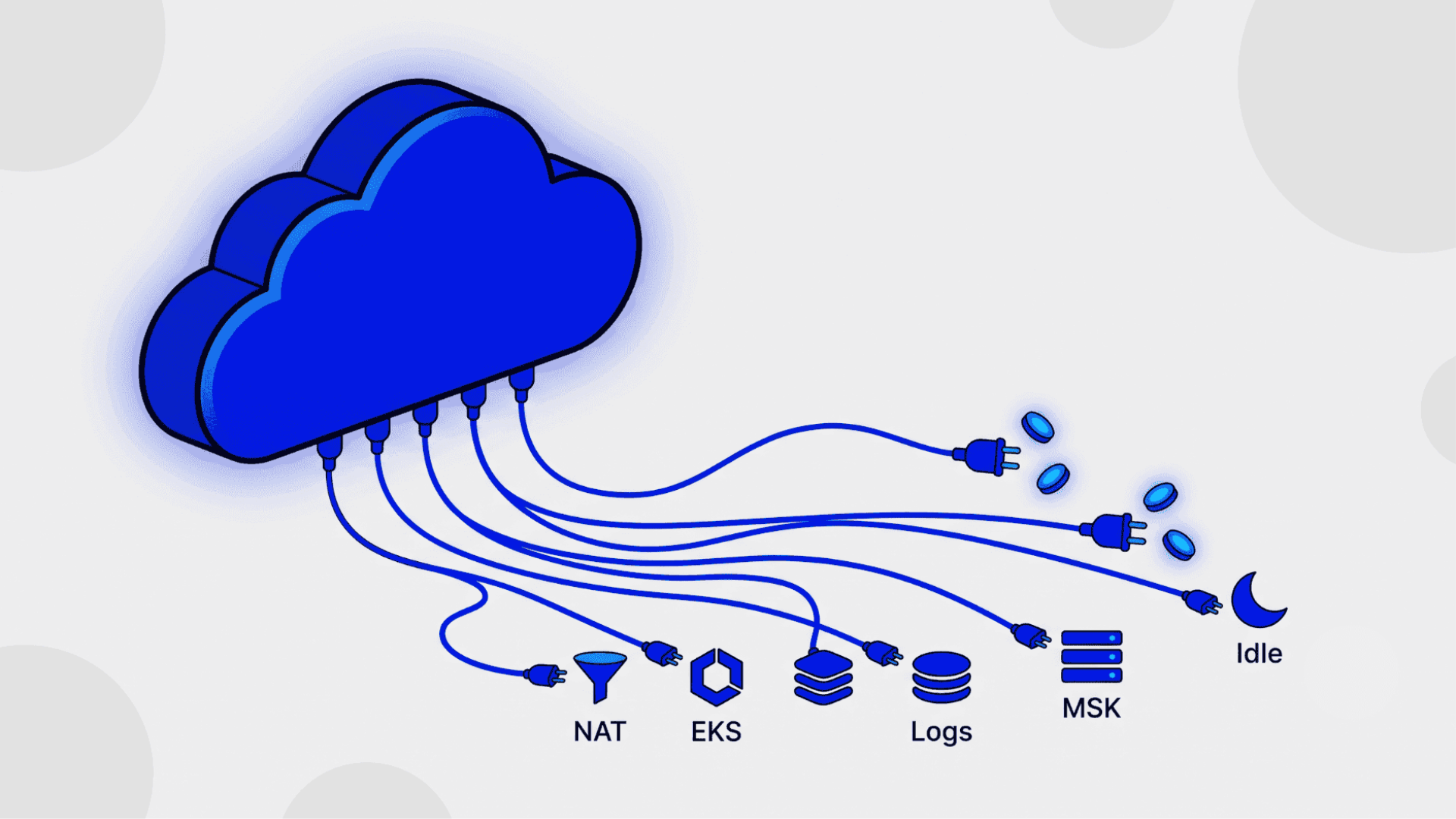
Most AWS bill reviews I’ve sat through follow the same script. The room spends forty minutes arguing about EC2 instance sizes, someone volunteers to look at Reserved Instances, and then the meeting ends. Nobody slows down on the networking section. Nobody asks why CloudWatch is the fourth largest line item. The instances were never the interesting part of that bill.
The reflex behind this is understandable. We assume the bill reflects what we built, so we scrutinise the things we remember choosing. But a large share of any AWS bill comes from things nobody chose. They arrived as defaults: the NAT Gateway the VPC wizard created, the log group that never got a retention policy, the third copy of an architecture that only production needed. Defaults don’t show up in architecture reviews, so they don’t show up in cost reviews either.
My narrower point is this: a handful of services appear on almost every bill I’ve reviewed, billing steadily for work that either isn’t happening or could happen for a fraction of the price. This isn’t an argument against managed services. Managed services are usually the right call. It’s an argument for knowing which ones are earning their line item and which ones are just there. For each of the usual suspects below, I’ll name where the cut is safe and where it stops being safe.
Key takeaways
- The most cuttable AWS spend usually isn’t compute. It’s networking defaults, log ingestion, and idle resources that bill around the clock whether or not anything uses them.
- The NAT Gateway charges $0.045 per hour plus $0.045 per GB processed, and much of that traffic is going to S3 or DynamoDB, which free gateway VPC endpoints would carry for nothing.
- EKS adds roughly $73 per month per cluster before a single node runs, and six times that if the Kubernetes version ages into extended support. ECS carries no cluster fee at all.
- CloudWatch’s dominant charge is log ingestion at $0.50 per GB, which is why reducing log volume saves far more than compressing storage ever will.
- The safe way to cut is evidence first: flow logs, request metrics, and a full business cycle of data before anything gets deleted.
Why is the NAT Gateway on every bill, and does it need to be?
It doesn’t, at least not at the size it usually appears. On most bills I’ve reviewed, the NAT Gateway is the single most cuttable networking line, because a large share of what flows through it never needed to. The reflex is to accept it as plumbing: the VPC wizard created it, traffic flows, the internet works. But the pricing model punishes that indifference twice. In us-east-1 you pay $0.045 per hour just for the gateway to exist, roughly $32 a month per gateway per availability zone, and then $0.045 for every GB it processes, in either direction, regardless of where the traffic is going (Amazon VPC Pricing, AWS, 2026, aws.amazon.com/vpc/pricing/).
[PERSONAL EXPERIENCE] The staging-account NAT audit that found more gateways than applications –>
That last clause is the trap. Engineers expect internet egress to cost money. What surprises them is that traffic from a private subnet to S3, DynamoDB, ECR, or CloudWatch takes the same route by default, and every byte of it pays the processing fee. I once audited a set of staging accounts where the NAT Gateways outnumbered the applications. Each VPC had one per AZ, created by reflex from the production template, and the biggest traffic source through them was container image pulls from ECR. None of that traffic needed a NAT Gateway at all.
The fixes are unglamorous and effective. Gateway VPC endpoints for S3 and DynamoDB carry that traffic privately with no hourly charge and no per-GB charge. They’re free, and adding them is a route table change. Interface endpoints cover the rest of the AWS services (ECR, CloudWatch Logs, Secrets Manager, SQS) at around $0.01 per hour per AZ plus $0.01 per GB, which is far below the NAT’s $0.045 per GB for any high-volume path. And non-production VPCs rarely need a gateway per AZ. One shared gateway cuts the hourly baseline by two thirds, and the only thing you give up is zone redundancy on environments that were never promised any.
Finding the leak takes one query. How much of your NAT traffic is actually leaving AWS?
# List NAT gateways and their VPCs, then check what's flowing through them
aws ec2 describe-nat-gateways \
  --query 'NatGateways[].{id:NatGatewayId,vpc:VpcId,state:State}' \
  --output table

# In Cost Explorer, group by usage type and filter for:
#   NatGateway-Hours   (the standing charge)
#   NatGateway-Bytes   (the data processing charge)
# Then use VPC Flow Logs on the NAT's ENI to see destinations.
Where’s the line? Production workloads with genuine internet egress in multiple AZs should keep a NAT Gateway per AZ. Cross-AZ traffic to a single gateway adds its own transfer charges and a shared failure zone, so consolidating there buys pennies and costs resilience. The cut isn’t “delete the NAT.” It’s “stop routing AWS-internal traffic through it, and stop triplicating it in environments that don’t need to survive a zone failure.”
Database Choices That Quietly Kill Your AWS Bill → post 5, the database-side version of this audit.
Do you actually need EKS, or do you need containers?
For most teams the honest answer is containers, and that distinction is worth about $73 a month per cluster before anything runs on it. EKS charges $0.10 per hour per cluster for the control plane during standard support (Amazon EKS Pricing, AWS, 2026, aws.amazon.com/eks/pricing/). Run the usual dev, staging, and production trio and you’re paying roughly $219 a month for the privilege of having clusters, before a single worker node bills a cent. ECS, meanwhile, charges no cluster fee at all. You pay for the compute your tasks use, and that’s it.
There’s a sharper edge hiding in the same pricing page. When a cluster’s Kubernetes version ages out of standard support, which happens 14 months after release, the fee jumps to $0.60 per hour, around $432 a month per cluster, and it does so automatically. No email you’ll read, no approval step. Teams that adopted EKS without the discipline to upgrade on a schedule discover this line item a quarter later. That’s not an AWS trick. It’s the cost of running Kubernetes without doing the Kubernetes work.
And the fee is the smallest part of that work. The real spend is attention: version upgrades, add-on compatibility, IRSA and networking configuration, node lifecycle decisions, and the standing question of who on the team owns the cluster when it misbehaves at 2am. If the answer is “whoever’s on call,” you don’t have a platform team, you have a liability. ECS and Fargate remove most of that surface. They’re less flexible, less portable, and dramatically less demanding, which for a small team shipping a product is the correct trade.
Where’s the line? EKS earns its fee when you’re consuming the Kubernetes ecosystem rather than just running containers: operators, Helm charts your vendors ship, multi-cloud portability requirements, or an existing platform team with real Kubernetes depth. If any of those describe you, pay the $73 happily and set a calendar reminder for version upgrades. If none do, the cluster fee is the cheapest part of a commitment you didn’t need to make.
Serverless vs Containers: The Honest Cost Comparison → upcoming Cloud post on the same decision axis.
What is CloudWatch quietly charging you for?
Mostly for logs nobody will ever read. CloudWatch’s pricing has more than a dozen dimensions, but on the bills I’ve seen, one dwarfs the rest: log ingestion at $0.50 per GB in the Standard class (Amazon CloudWatch Pricing, AWS, 2026, aws.amazon.com/cloudwatch/pricing/). Storage, by contrast, runs $0.03 per GB per month. Ingestion costs more than fifteen times what storing the same gigabyte for a month does, which means the entire cost conversation is about volume in, not data at rest. Teams that respond to a CloudWatch bill by shortening retention are trimming the small number.
The reflex that inflates the big number is treating logging as free telemetry. Debug-level logging left on in production. Every microservice shipping full request payloads. VPC Flow Logs pointed at CloudWatch when S3 would hold them for a fraction of the cost and Athena would query them fine. Log groups created with the default retention of “never expire,” so storage compounds silently underneath the ingestion charge. None of these decisions felt like spending money at the time. That’s exactly why they’re worth auditing.
Three changes cover most of the savings. First, put a retention policy on every log group; the default keeps everything forever. Second, move eligible log groups to the Infrequent Access class, which ingests at $0.25 per GB, half the Standard rate, and as of early 2026 supports full Logs Insights queries. Third, cut volume at the source: drop debug logs in production, sample where full fidelity isn’t needed, and route bulk vended logs like VPC Flow Logs to S3 instead.
# Find log groups with no retention policy (the silent accumulators)
aws logs describe-log-groups \
  --query 'logGroups[?!retentionInDays].[logGroupName,storedBytes]' \
  --output table

# Set a sane default where one is missing
aws logs put-retention-policy \
  --log-group-name /app/checkout-service \
  --retention-in-days 30
Where’s the line? Anything that drives an alarm or a metric filter belongs in the Standard class, close to real time, with retention long enough to debug the incidents it will one day explain. That’s a small fraction of most log estates. The line is between logs you act on and logs you’re keeping out of vague unease, and the second category shouldn’t be paying first-class fares.
Observability Stack : What to Monitor Before You Scale → upcoming Cloud post on choosing signals deliberately.
Do you need managed Kafka, or do you need a queue?
If your event volume fits comfortably inside SQS, and most do, managed Kafka is a standing monthly cost for a problem you don’t have. MSK bills for broker instances around the clock, plus storage, whether one message flows or a billion do. It’s a cluster you keep warm. SQS is priced per request, scales to zero when nothing is happening, and requires no capacity decisions at all. For the common case, a service emitting events that one or two consumers process, the queue does the job and the Kafka cluster does the same job with a fixed hosting bill and a steeper operational learning curve attached.
[UNIQUE INSIGHT] Kafka adoption usually imports the architecture of the company that made it famous, not the requirements of the company adopting it.
What I’ve noticed is that Kafka rarely arrives because someone measured a throughput requirement. It arrives because event streaming is how serious companies do things, and MSK makes the serious thing feel like one console click. The architecture gets imported wholesale from companies operating at a scale the adopting team will never see. Six months later there’s a three-broker cluster carrying a few messages per second, and the topic design conversations have consumed more engineering hours than the messages themselves ever justified. Would a queue have been embarrassing? Maybe. It would also have been finished.
Postgres deserves a mention here too. For modest queue workloads that already live next to a relational database, a jobs table with SKIP LOCKED handles ordering, retries, and visibility with infrastructure you already run and back up.
Postgres Does More Than You Think → the queue-in-Postgres pattern in post 1.
Where’s the line? Kafka earns its cluster when you genuinely need what a distributed log provides: replay from arbitrary offsets, multiple independent consumer groups over the same stream, ordered high-throughput partitions, or the Connect ecosystem feeding downstream systems. Those are real requirements at real companies. If you can name which one is yours and roughly quantify it, keep MSK. If the justification is “we might need it later,” later is when you should pay for it.
What’s still billing while doing nothing at all?
More than most teams expect, because AWS charges for existence, not just for use. Since February 2024, every public IPv4 address costs $0.005 per hour, about $3.60 a month, whether it’s serving traffic or sitting unattached (Amazon VPC Pricing, AWS, 2026). A load balancer in front of a decommissioned service bills its hourly rate indefinitely. A NAT Gateway in a VPC nobody has deployed to since last year costs its $32 a month like clockwork. EBS volumes outlive the instances they were attached to. Dev environments run nights and weekends for engineers who are asleep. Individually these are small numbers, which is precisely how they survive every review.
The pattern behind all of them is the same: the resource was created for a reason, the reason ended, and nothing existed to notice. AWS won’t turn things off for you. Cost Explorer grouped by usage type will surface the standing charges, Compute Optimizer now flags idle resources including unused NAT Gateways, and a monthly thirty-minute sweep of unattached volumes, idle load balancers, and orphaned Elastic IPs pays for itself in the first month. It’s the least sophisticated cost work available, and reliably the highest return per hour spent. I covered the database-flavoured version of this, snapshots, oversized instances, and idle replicas, in an earlier post.
Database Choices That Quietly Kill Your AWS Bill → post 5, storage and snapshot sprawl.
Where’s the line? Idle is not always waste. A standby NAT Gateway kept as a failover path, a warm DR environment, headroom capacity ahead of a launch: these are idle by design, and deleting them converts a monthly cost into an outage. The line is intent. If a resource is idle on purpose, tag it that way so the next audit skips it. If nobody can say what it’s for, that’s your answer.
So how do you actually decide what to cut?
Three questions, asked in order, settle nearly every case.
1. Is anything actually consuming it? Not “might something be,” but is there evidence: flow logs on the ENI, request counts on the load balancer, connection metrics on the cluster, over a full business cycle including month-end. Absence of evidence over a real cycle is the strongest signal you’ll get.
2. Is the managed premium buying time your team actually spends elsewhere? A managed service is a trade: money for attention. EKS at $73 a month is cheap if it frees a platform engineer and expensive if nobody was going to run Kubernetes by hand anyway. Price the alternative in engineer hours honestly, including the 2am ones.
3. Would the cheaper path survive your real failure modes? Not hypothetical ones. If consolidating NAT Gateways means a single AZ failure takes out egress for an environment, ask whether that environment ever needed to survive an AZ failure. Sometimes the answer is yes. For staging, it almost never is.
Read the answers together, not separately. A resource with no consumers, no attention saved, and no failure mode it protects against is a deletion. A resource that fails one question deserves a second look before it goes.
The bill is a stack of defaults
The practical move, restated: audit the things you don’t remember choosing. Gateway endpoints for S3 and DynamoDB, one NAT Gateway for non-production instead of six, ECS unless Kubernetes is a named requirement, retention policies and the Infrequent Access class on your logs, a queue before a Kafka cluster, and a standing monthly sweep for anything billing while idle. None of this is architecture work. Most of it is an afternoon.
The cautionary version is real too. Every one of these services exists because it solves a genuine problem, and cutting on vibes instead of evidence is how someone deletes the “unused” NAT Gateway that was the DR egress path. Measure first, tag intent, keep the changes reversible where you can. Cheap and careless is not the goal. Cheap and deliberate is.
Because that’s the actual finding, once the audit is done. It’s rarely that AWS overcharged you. It’s that the bill quietly filled up with services you’re paying for, and probably don’t need.
Frequently asked questions
How do I find AWS services I’m paying for but not using?
Start in Cost Explorer grouped by usage type rather than by service, which exposes standing charges like NAT Gateway hours and log ingestion directly. Then confirm with evidence: VPC Flow Logs, load balancer request counts, and Compute Optimizer’s idle resource findings. Review a full business cycle before concluding anything is truly unused.
Is a NAT Gateway always necessary in a VPC?
No. It’s only needed when private subnets initiate outbound internet connections. Traffic to S3 and DynamoDB can use free gateway VPC endpoints, other AWS services can use cheaper interface endpoints, and IPv6 workloads can use an egress-only internet gateway. Many non-production VPCs can also share a single gateway safely.
Should a small team choose EKS or ECS?
ECS is the better default for small teams. It carries no cluster fee, needs far less operational attention, and runs containers perfectly well. EKS adds roughly $73 per month per cluster plus real upgrade and maintenance work, which is only worth paying when you specifically need the Kubernetes ecosystem or already have that expertise.
How can I reduce CloudWatch Logs costs quickly?
Set a retention policy on every log group, since the default keeps data forever. Move eligible groups to the Infrequent Access class at $0.25 per GB, half the Standard rate. Route bulk logs like VPC Flow Logs to S3, and cut debug logging in production. Ingestion volume drives the bill, so reduce what you send.
Is it safe to delete idle AWS resources?
Usually, but verify first. Some idle resources are deliberate: failover NAT Gateways, warm disaster recovery capacity, standby replicas. Check flow logs and request metrics across a full business cycle, tag resources that are idle by design, and prefer reversible steps like snapshots or stopping before deleting anything permanently.
- May 10, 2026

Naveen Chandra
Hi, I am Naveen Chandra, a Cloud Engineer and Web Developer. I work with companies that take their technology seriously and want a long-term partner, not a short-term contractor. From AWS infrastructure and DevOps automation to full-stack web platforms and React Native apps, I focus on systems that compound in value over years rather than projects that end in weeks.